
The problem nobody talks about
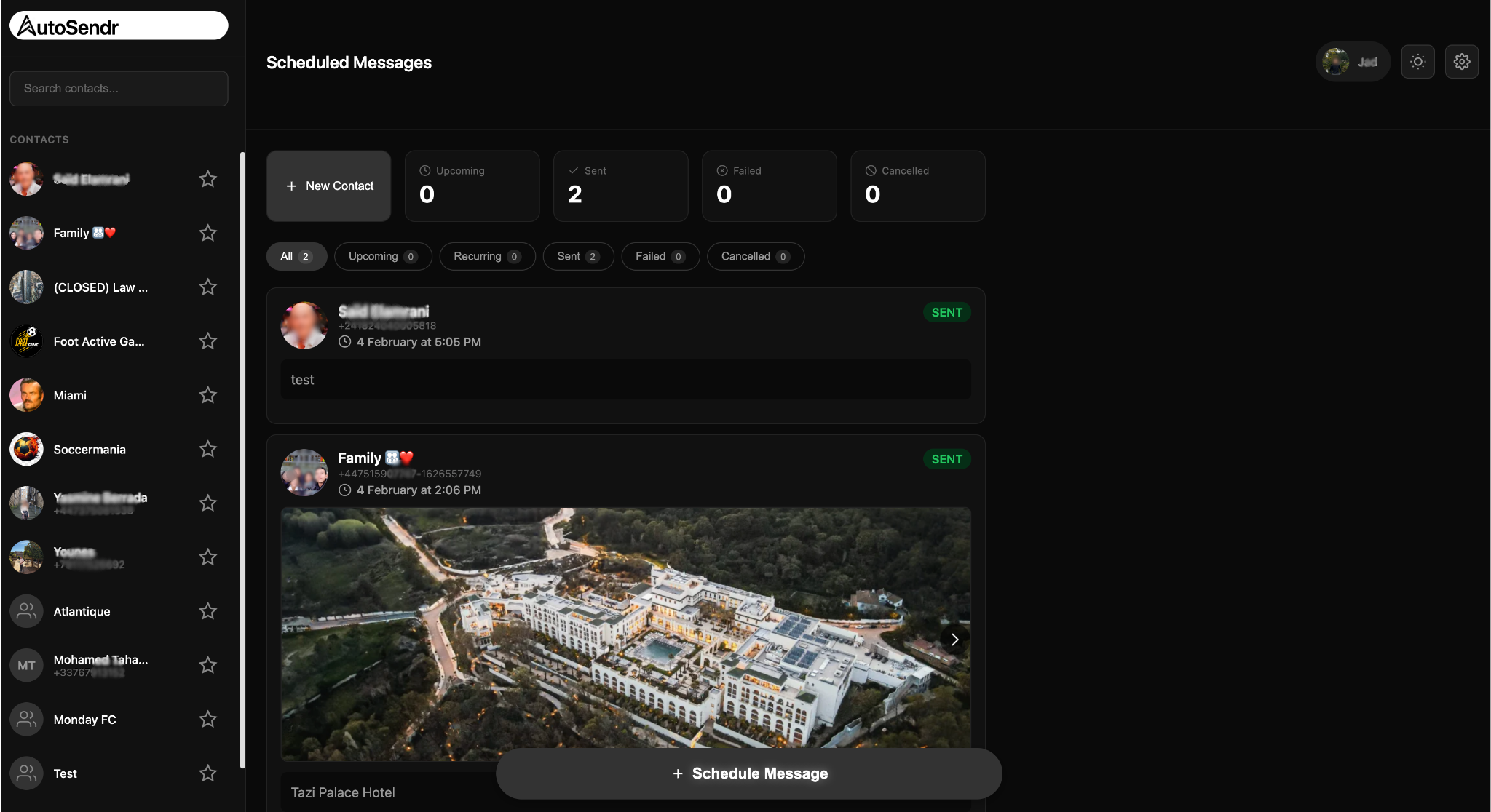
WhatsApp has no scheduling feature. Two billion people use it daily, businesses run on it, and you still cannot schedule a message for tomorrow morning.
The official API exists, but it is for enterprise and not for regular accounts. For everyone else, there is a gap.
At first, I built this just for myself. I wrote about that version in my earlier post, Building a $0 WhatsApp Scheduler.
On January 1, 2026, I set a goal: get a paying customer by the end of the month. That is when I decided to stop treating it like a personal hack and build autosendr.com for everyone.
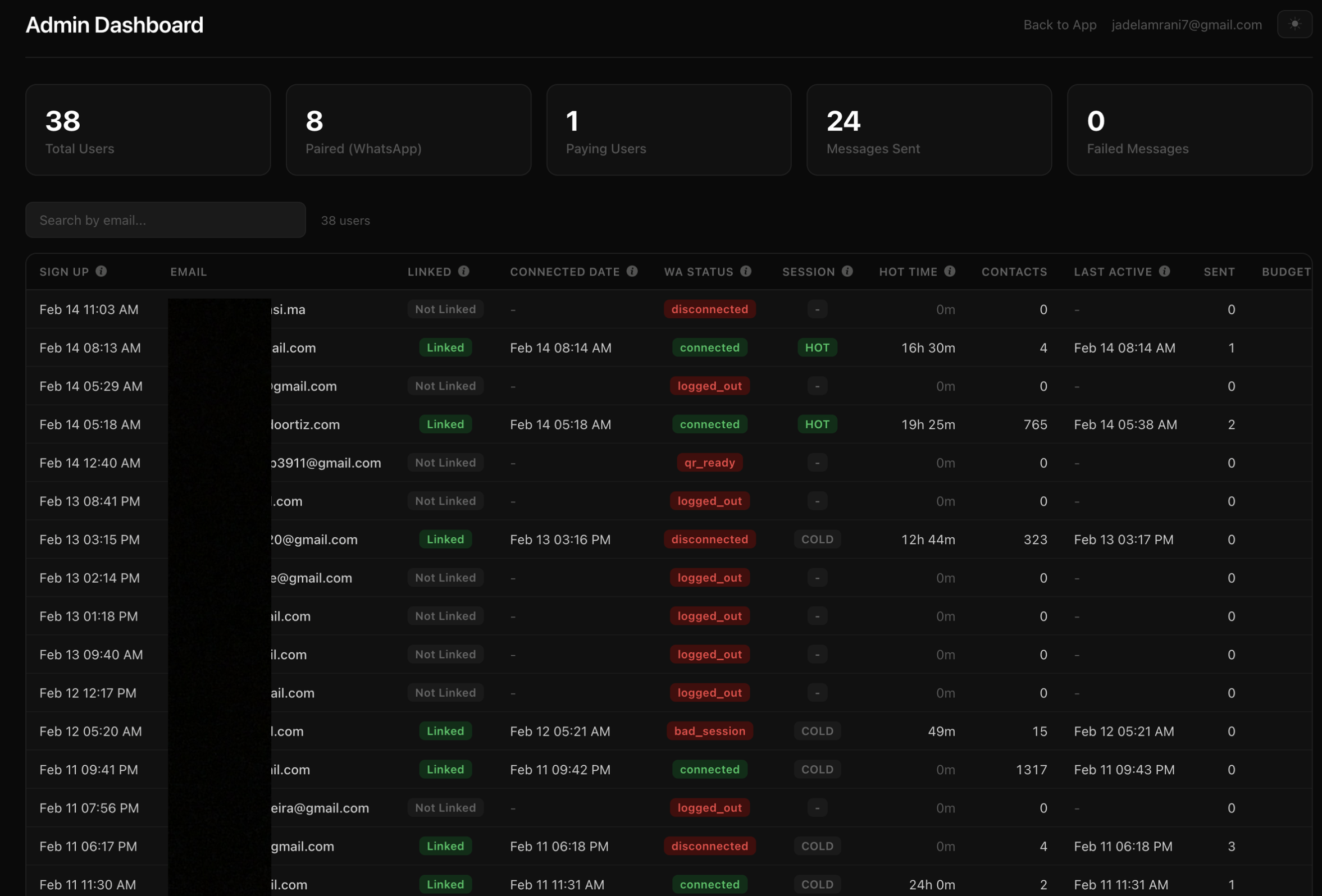
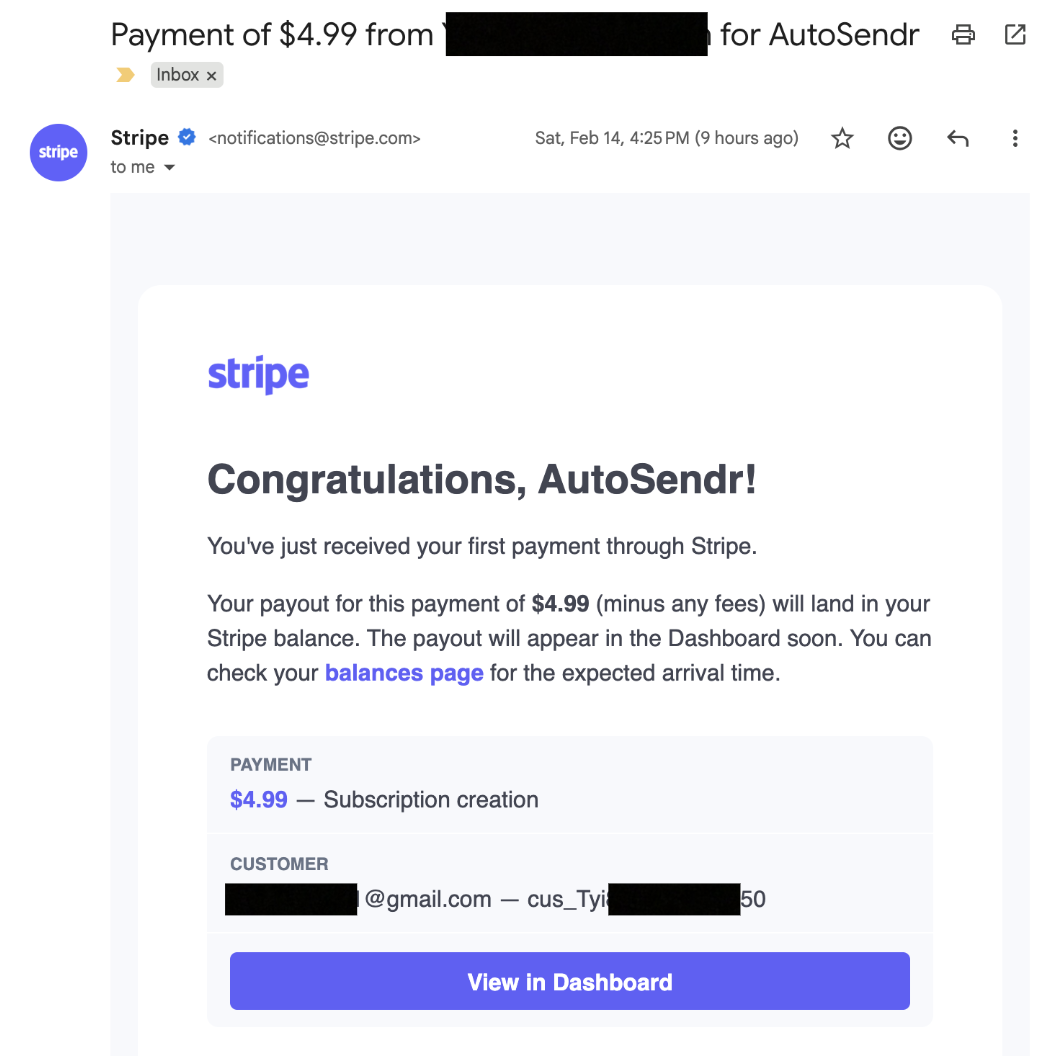
I hit my first paying customer on February 14.
AutoSendr is still simple on the surface. Connect WhatsApp, pick a contact, write a message, choose a time. It sends, even if your phone is off. Recurring schedules too. The engineering behind that simplicity is the hard part.
Why this is hard
WhatsApp does not offer a public API for personal accounts. AutoSendr uses an implementation of the WhatsApp Web protocol.
Every connected user is a live session that costs real RAM. Each session holds keys, state, and a persistent connection. If you keep everyone connected all the time, memory usage climbs fast and the server dies.
How do you send on time without keeping everyone online all the time?
The hot set architecture
The answer is what I call the hot set.
Every WhatsApp session lives in one of four states:
- COLD: disconnected, zero active resources
- CONNECTING: booting up a session
- HOT: live session, can send immediately
- DISCONNECTING: shutting down cleanly
By default, everyone is COLD.
When a message is due, the system wakes that session, sends the message, and then puts it back to sleep.
This runs through five independent loops inside a single background worker:
Main loop (every 1.5s): pulls due messages, connects if needed, sends
Disconnect loop (every 10s): turns off HOT sessions past idle timeout
Sticky loop (every 10s): manages sessions that should stay HOT briefly for contact enrichment
Lease cleanup (every 10s): recovers messages claimed but not finished
Reconcile loop (every 60s): full sync from Postgres to Redis and state machine recovery
I cap simultaneous HOT sessions at five. It is tunable by environment variable, but five is the sweet spot for single server deploys. It keeps RAM predictable and prevents runaway connections.
Redis for speed, Postgres for truth
The storage model is intentional.
Redis drives the realtime loop. It is fast and perfect for “what is due next”.
Postgres is the source of truth. It owns final message status and session state.
When a user schedules a message:
- Postgres gets a
scheduled_messagesrow - A trigger updates
session_state.next_due_atso disconnect logic knows what is coming - Redis gets a
ZADDinto a sorted set scored by scheduled time
The main loop pops due work from Redis using an atomic Lua script. It moves items from a due set to a processing set with a 30 second lease.
If the worker crashes mid send, the lease expires and the cleanup loop moves the message back to due. No manual recovery, no lost messages.
But Redis is not trusted blindly. Before every send, the worker does a Postgres check with SELECT FOR UPDATE SKIP LOCKED. That is the idempotency gate. Postgres decides what is real.
Every 60 seconds, the reconcile loop re syncs pending messages from Postgres back into Redis. This defends against drift, missed inserts, and edge cases like Redis eviction.
Concurrency without counters
A naive system uses a global counter for active sessions. The problem is counters drift on crashes.
Instead I use a token bucket pattern backed by Redis TTL keys.
There are five “slots”. Each slot is claimed with SET NX and a TTL. If the process crashes, the TTL expires and the slot frees itself. The system self heals.
Same pattern for:
- per account connect locks
- per message send locks
Everything has an expiry, so nothing stays stuck forever.
Backoff that does not create a thundering herd
Connection failures happen. WhatsApp rate limits aggressive reconnects.
My backoff sequence is:
30s, 60s, 120s, 5m, 10m, 30m max
Each value gets plus or minus 25 percent jitter so accounts do not retry in sync.
Backoff state is just a Redis key with a TTL equal to the backoff duration. The main loop only needs an EXISTS check. No timers, no cron, no background bookkeeping.
The WhatsApp 515 stream error gets special handling too: exponential backoff up to 120 seconds, and after five consecutive 515s, a 10 minute park with extra jitter.
Sticky HOT solves the cold start problem
New users connect and see an empty contact list. Names and profile photos need a live session long enough to sync metadata.
If you only connect for a few seconds to send and then disconnect, you never get a decent contact list.
Sticky HOT mode fixes it.
After first login, each account gets a 24 hour connected time budget. The budget only burns while the session is actually HOT. Disconnect and it pauses.
Four of the five HOT slots can be used for sticky sessions. One is always reserved for scheduled sends. If a scheduled message needs a slot and all five are taken, the sticky session with the lowest remaining budget gets preempted.
Scheduled messages never wait behind enrichment.
The budget is tracked in Postgres with:
sticky_remaining_ms
sticky_active_since
A SQL function computes the real remaining time by subtracting elapsed time since activation. No job constantly decrementing counters.
Auth and payments
There are two auth paths:
- Email and password, bcrypt hashed
- Google OAuth
Sessions live in Redis with a 30 day TTL. The session ID is generated with crypto.randomBytes and stored in an HttpOnly cookie.
Payments run through Stripe.
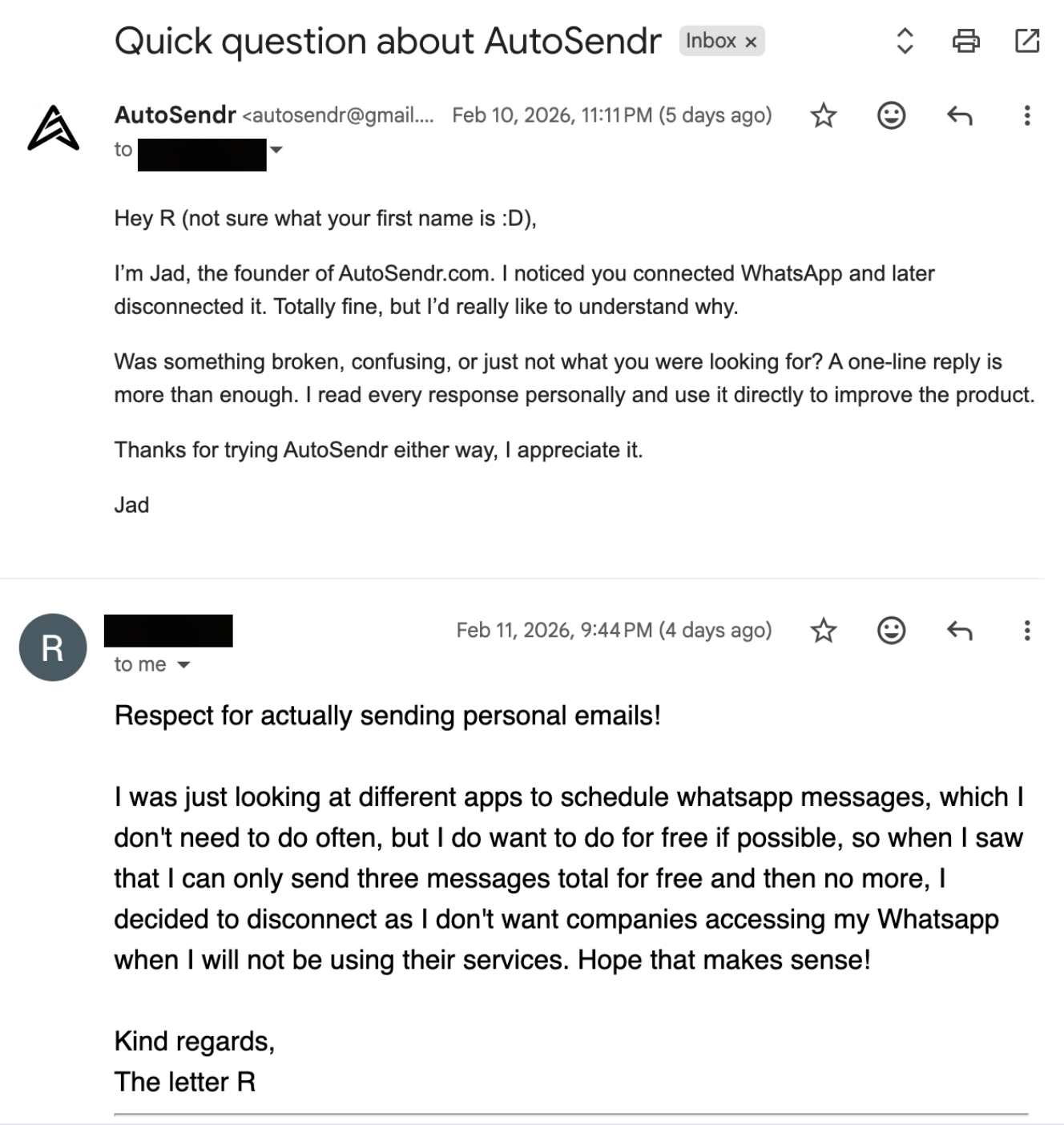
There are three paid plans: monthly, six month, annual. The free tier gives three scheduled messages total. After that, you hit a 402 with a FREE_LIMIT_REACHED code. The quota check counts pending and sent messages.
Stripe webhooks handle subscription lifecycle. The webhook endpoint uses raw body for signature verification and is registered before JSON parsing middleware.
Privacy and security
This is the part I took personally.
AutoSendr runs a hardened AWS Nitro Enclave alongside the primary EC2 workload so message plaintext is never exposed to the host environment. Messages use envelope encryption before storage, and only ciphertext is persisted in databases and logs.
At send time, the host passes ciphertext to the enclave over the Nitro vsock channel. A minimal audited service decrypts in memory after obtaining a data key from AWS KMS using attestation bound key policies.
The enclave image is reproducibly built, measured, and locked to an allowlisted hash so KMS will only release keys to that exact code identity.
The enclave has no network, disk, or shell access. It runs with a minimal kernel surface, zeroizes memory after use, and emits only structured, non sensitive telemetry.
Remote attestation is exposed through a challenge based endpoint returning a Nitro attestation document with the enclave measurement and a caller nonce. Customers can verify the approved image is running and proofs are fresh.
Operational controls include strict IAM scoping, KMS condition keys tied to enclave measurements, reproducible builds, supply chain scanning, and CI verification of enclave hashes.
Net result: it meaningfully reduces insider access risk, host compromise impact, and data exfiltration risk. It still requires careful enclave code review and side channel hygiene, and I treat that as an ongoing discipline.
The stack
- Node.js 20 on Alpine
- Express for HTTP
- Postgres 16 for persistence
- Redis 7 for queues, locks, hot set state
- Pino for structured logging
- Multer for image uploads
- Docker Compose for local and production deployment
The landing page is a React SPA built with Vite and Tailwind, compiled to static assets served by Express.
The dashboard is server rendered HTML using template literals. No client framework, no hydration, no build step for the app itself. Fast to serve, easy to change.
Realtime status updates like QR codes and connection state use Server Sent Events instead of WebSockets. One direction is all I need, and SSE behaves well through proxies.
WhatsApp auth credentials are stored in Postgres as JSONB, not the filesystem. Sessions survive container restarts and can move between servers.
Hosting setup
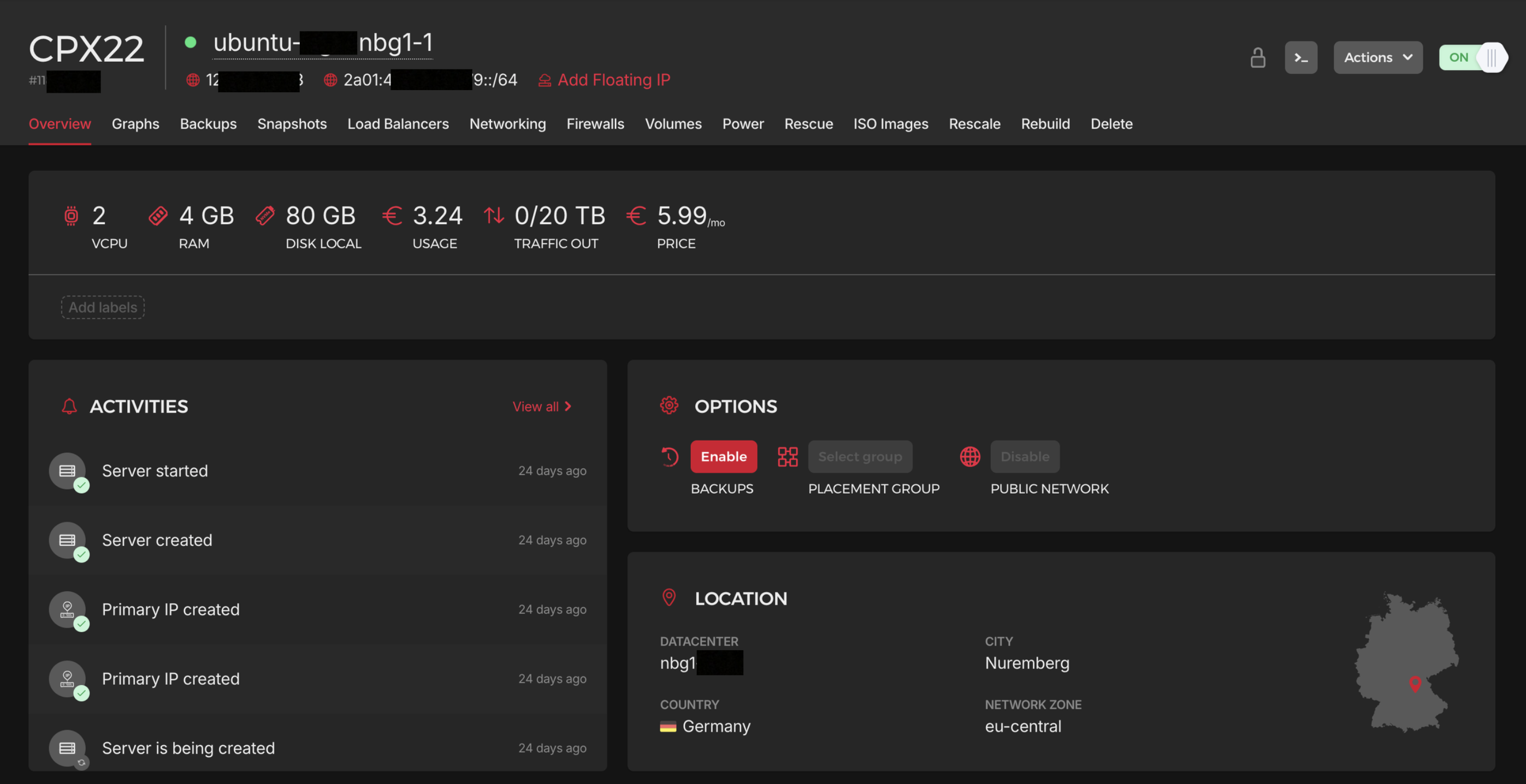
For hosting, I rent a Hetzner VPS running on Ubuntu in Nuremberg, Germany and deploy with Docker.
With active constant connections, you would cap out at roughly 10 concurrent users on a €6 box before RAM becomes the bottleneck. With my hot set architecture, the same €6 VPS can support around 3,000 users, because sessions only wake up when a send is due.
The nice part about this architecture is that scaling is straightforward:
- Vertical: rent a bigger VPS
- Horizontal: rent more VPS machines, split workload, add a load balancer
A load balancer is the next step once traffic demands it.
For media, I host images and videos on Amazon S3.
How I made the video
I created the product video from scratch using Remotion, then hosted it on S3.
Distribution so far, and what is next
I am going to run ads soon using TikTok Ads and Google Ads since ROAS is usually best when you get targeting and creative right. For TikTok, I will create UGC style ads aimed at freelancers and small businesses.
I have not launched ads yet because my Google Ads account required verification, which slowed me down.
But the funny part is I still got traction.
I replied to a Reddit post where people were trying to schedule WhatsApp messages and I got over 30 new users in a few days. Within a few days, I got my first paying user without paying for ads.
Because I designed the product to run very cheaply, I broke even with one user.
I also stay in direct contact with users. I iterate fast, I ask what hurts, I fix it, and I ship again.
Conclusion
AutoSendr looks like a small feature, but behind it is a system that treats memory like a budget, treats crashes as normal, and treats privacy as a first class constraint.
The goal is simple: schedule messages reliably, without babysitting a phone, and without building a fragile server that collapses as soon as people start using it.
Now it is about polishing, listening harder, and scaling the boring parts so the product stays simple even as the system grows.